As an Amazon Associate this site earns from qualifying purchases.
Zoanthids on a 3-to-10-gallon pico reef ask for something specific from the AI Prime 16HD: enough PAR to keep neon morphs saturated, never so much that polyps bleach, and a smooth ramp that respects the small water volume's tendency to overheat under a focused optic. The ai prime 16hd schedule zoanthid pico reef tune we walk through below gives you channel-by-channel percentages, a 12-hour photoperiod with sunrise and sunset ramps, and acclimation steps for moving new frags into the schedule without losing pigment. It assumes the fixture is mounted at the manufacturer-recommended 6 to 9 inches above the water and that you have some way to verify PAR — a borrowed Apogee meter, a hobbyist Seneye, or even a phone-based PAR estimate as a sanity check.
The short answer
For a zoa-dominated pico, target 75–150 PAR at the sand bed with the fixture at 7 inches above the surface. A safe, color-friendly schedule peaks around 50% UV, 60% Violet, 55% Royal Blue, 35% Blue, 18% Green, 12% Deep Red, 8% Cool White over a 5-to-6-hour midday plateau, with 90-minute sunrise and sunset ramps bookending the peak. The numbers shift down for pristine morphs (Rastas, Eagle Eyes) and shift up for tough color-hungry varieties (Utter Chaos, Sunny D, Magicians).
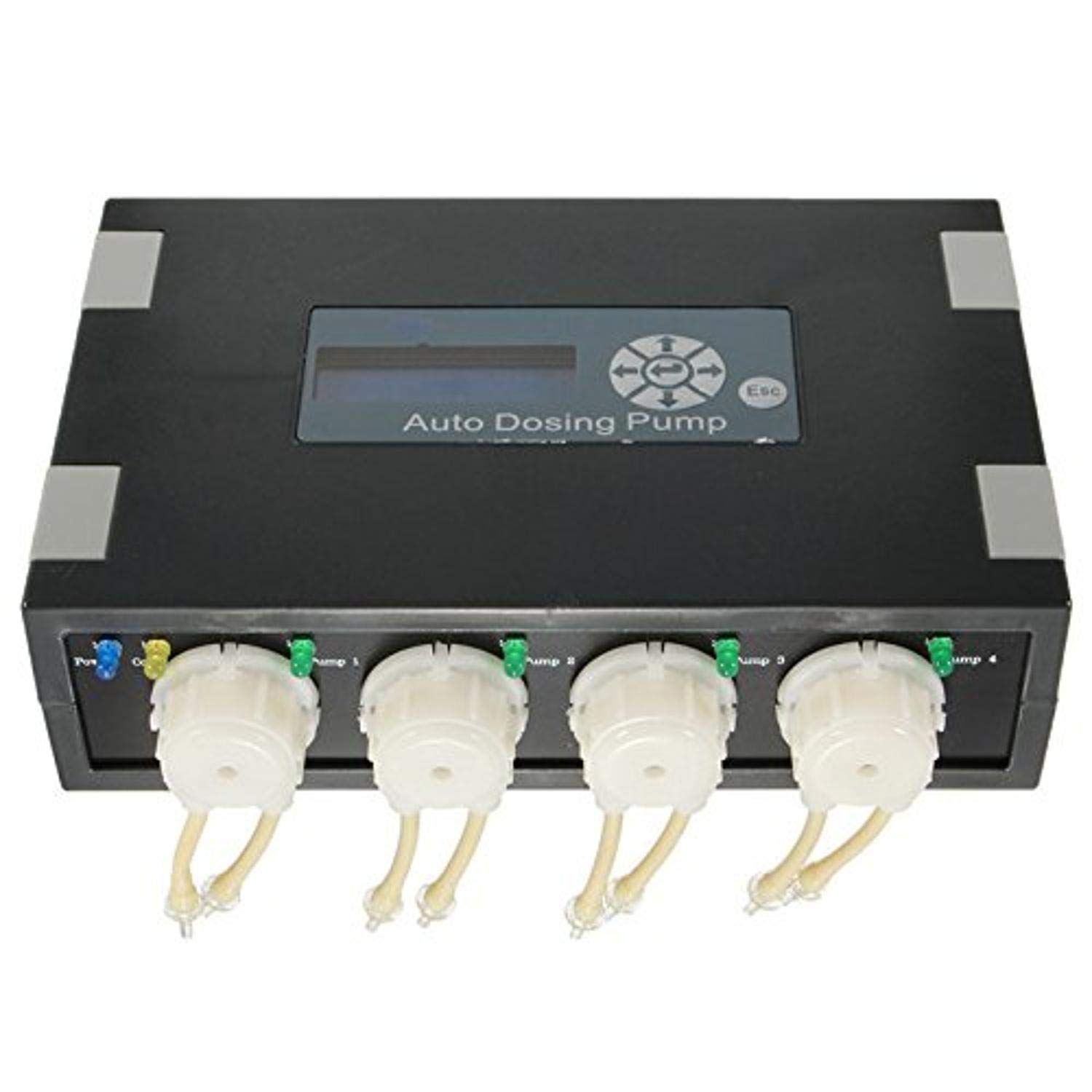
- Model :DP-4, Idea for Dosing CA / MG / AB Water or other liquid
- Each Channel Provides 1 to 9999ml per day,24 timer per day
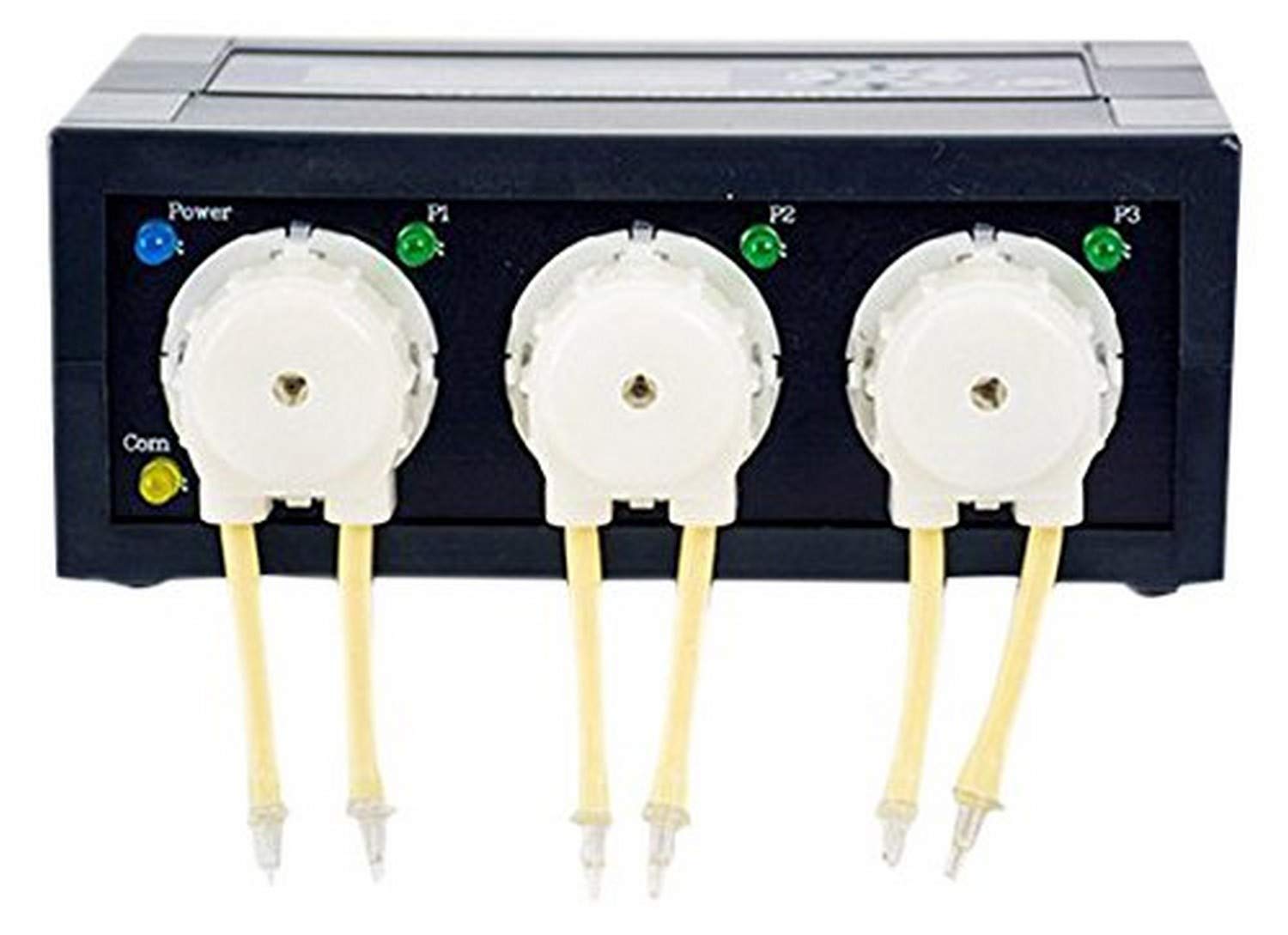
- 3 Channel dosing pump, each channel provides 1 to 9999ml per day
- Allows user to keep their Tank parameters stable, removes the need for mixing supplements daily
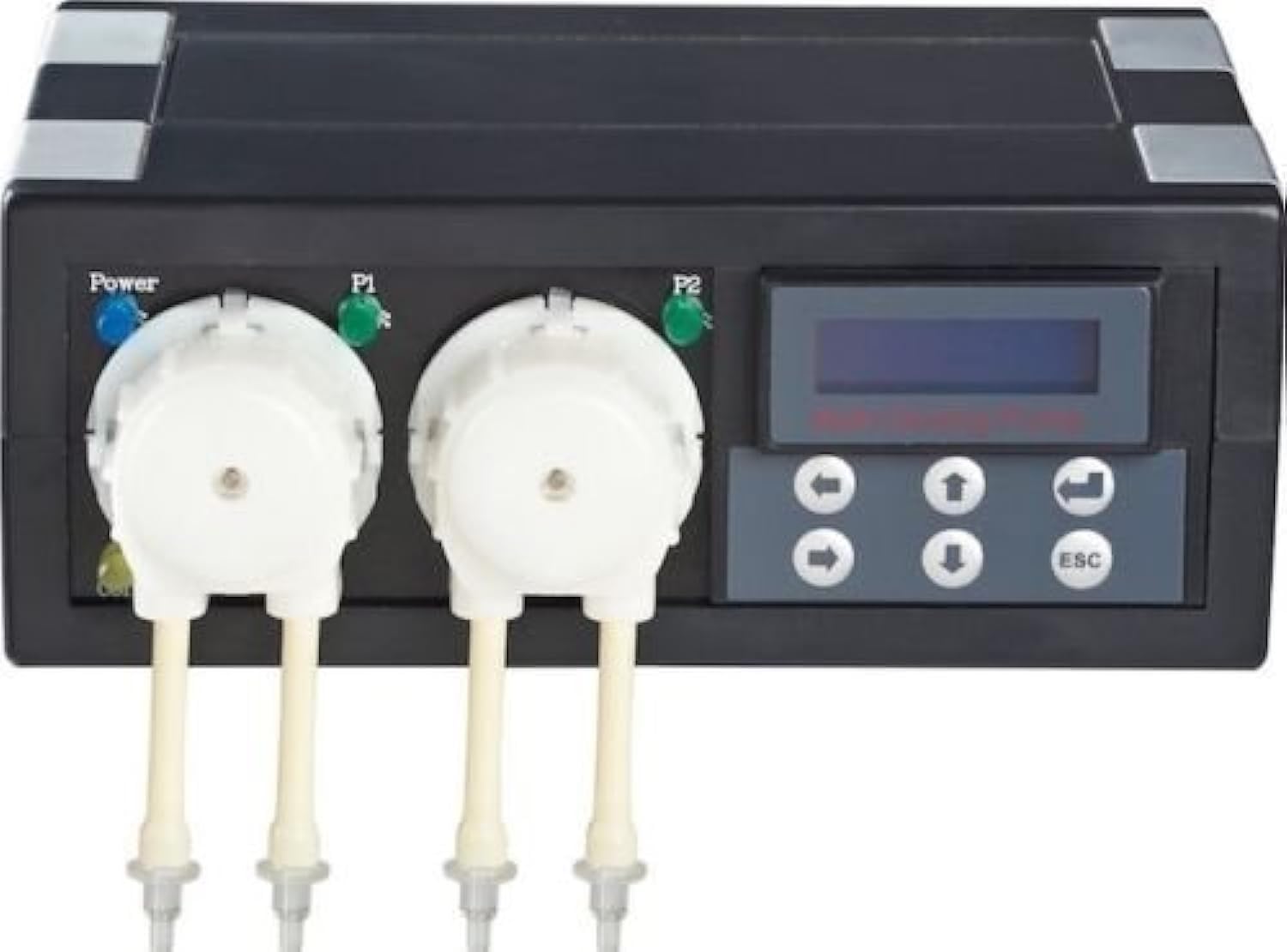
- High Capacity Dosing Range: Each channel provides 1 to 9999ml per day for flexible dosing requirements
- Programmable Scheduling: Each channel can be programmable up to 24 times per day for precise automated dosing
Why the AI Prime 16HD is the right tool for a pico zoa garden
The 16HD's seven-channel emitter bank, HD mode that prevents thermal throttling at higher channel percentages, and tight optic make it well-suited to small-footprint tanks (roughly 12–18 inches square). On a pico, you rarely need more than 40–50% combined output to hit PAR targets that satisfy zoanthids — which means you have huge headroom for color tuning. The real engineering problem on a pico isn't raw output; it's keeping the small water volume thermally stable and giving polyps a spectrum that pops pigment without bleaching their zooxanthellae.
The seven-channel breakdown for a zoa pico
The Prime 16HD exposes UV, Violet, Royal Blue, Blue, Green, Deep Red, and Cool White channels. Here are the peak-intensity percentages I run on a 5.5-gallon zoa pico with the fixture 7 inches above the surface:
| Channel | Peak % | Why |
|---|---|---|
| UV (405 nm) | 50% | Excites near-UV chromoproteins; drives "neon" pop in Eagle Eyes and Rastas. |
| Violet (420 nm) | 60% | Most important channel for zoa fluorescence; carries most pigment energy. |
| Royal Blue (450 nm) | 55% | Primary photosynthetic driver; backbone of the spectrum. |
| Blue (470 nm) | 35% | Adds depth and growth without washing out fluorescence. |
| Green (520 nm) | 18% | Small dose brings out green centers; too much pushes algae. |
| Deep Red (660 nm) | 12% | Tiny addition smooths visual appearance under daylight viewing. |
| Cool White (6500K) | 8% | Just enough to make the tank look natural at a glance. |
Compared to older fixtures or generic clip-on LEDs covered in our aquarium lighting guide, the 16HD's individually addressable channels let you separate the blue end (where zoa fluorescent pigments live) from the white channels (which drive raw growth but mute colors). That separation is why hobbyists keep recommending it for high-end zoa picos.
Understanding what zoanthids actually want from light
Zoanthids are extraordinarily adaptable. They live anywhere from intertidal rubble fields to deeper fore-reef shelves, which is why hobbyists can grow them under everything from a single T5 to a 250W metal halide. What they don't tolerate well is sudden change. A colony that has been kept at 50 PAR for six months will brown out or melt if you drop it under 200 PAR overnight. Acclimation matters more than the absolute number.
Zoas also rely heavily on fluorescent pigments — GFPs and chromoproteins — to dissipate excess light energy. Those proteins are excited by deep blue (420–460 nm) and near-UV (380–410 nm). A schedule that under-feeds those wavelengths gives you correct PAR but flat, washed-out polyps. Conversely, dumping too much green and red masks fluorescence under our daylight-balanced perception and lets nuisance algae outcompete corals for surface real estate.
PAR targets by tank zone
On a pico, vertical distance and aquascape shadowing create dramatically different microclimates within a 6-gallon footprint. Map your tank into three zones and aim for these targets at peak intensity:
- Sand bed (lowest zone): 50–90 PAR — safe for almost any zoa morph; ideal for Rastas, Bowsers, Krakatoa.
- Mid-rock shelf: 90–150 PAR — the sweet spot for most named morphs and color-popping varieties.
- High shelf or frag rack: 150–220 PAR — reserve for tough morphs like Utter Chaos, Sunny D, Magicians, or any colony you've ramped up over weeks.
Anything above 250 PAR on a pico is asking for trouble unless you're running an SPS–zoa mix and accepting that the bottom morphs will fade.
This ai prime 16hd schedule zoanthid pico reef blend skews heavily blue-violet. If your tank looks "too purple" to your eyes, you're doing it right for the corals — pick up an inexpensive yellow-tint coral viewing lens to see them as your eye expects.
Hour-by-hour photoperiod
Run a 12-hour total cycle with these segments. Program them all in the myAI app under your single daily schedule:
- 10:00–11:30: Sunrise ramp from 0% to 100% of the percentages above. 90 minutes protects polyps from a startle response.
- 11:30–17:30: Peak plateau, 6 hours at the target percentages. This is when most photosynthesis happens.
- 17:30–19:00: Sunset ramp from 100% down to 5% (moonlight blue).
- 19:00–22:00: Moonlight at 3–5% Royal Blue only. Optional, mostly aesthetic.
- 22:00–10:00: Lights fully off. Twelve hours of real darkness gives the polyp/zooxanthellae cycle a genuine rest.
Shift the start time to match when you actually view the tank. If you get home at 6 PM and want peak intensity at viewing time, push everything four hours later.
Acclimating a new zoa frag to the schedule
If the schedule above represents your "fully acclimated" target, a new frag from a lower-light shop tank should never be dropped directly on the mid-rock shelf. Start it on the sand bed for two weeks. Watch polyp extension as your acclimation indicator — fully open, evenly extended polyps mean the light level is appropriate. If polyps stay closed for more than 48 hours after placement, the light is too strong.
For genuinely sensitive morphs (Eagle Eyes you paid full retail for, Rastas you've been hunting for months), use the Acclimation Mode built into the myAI app. Set it to 14 days at 50% starting intensity, ramping to 100% over two weeks. This single feature has saved more high-end zoas than any other software trick.
The heat problem on picos
A 16HD pulls up to 55 watts and dumps a measurable amount of heat onto a small water surface. On a 5-gallon tank with no chiller, the fixture alone can raise tank temperature 2–3°F during peak hours. Mitigate with:
- A small clip-on fan blowing across the water surface.
- Open-top tanks (no glass lid trapping heat).
- Running the room at 72°F if possible.
- Spreading peak intensity across more clock hours at slightly lower percentages — same daily light integral, less heat spike.
Stable temperature matters more for zoa health than absolute light level. A swing from 78°F to 82°F over an afternoon will stress polyps more than running 10% extra Royal Blue ever will. Pair the fixture with proper temperature management — our water quality maintenance guide covers the broader stability picture.
Common scheduling mistakes
Too short a ramp. Fifteen-minute ramps aren't ramps; they're switches. The polyps see them as switches too. Use 60–90 minutes minimum.
Chasing PAR numbers from large-tank schedules. A schedule posted by someone running an 80-gallon mixed reef will burn your pico. Always scale to your tank's volume and footprint.
Too much cool white. Anything above 15% cool white on a zoa-only tank washes out fluorescence and grows green hair algae. If you want a "natural" daytime look, do it with slightly more green and red rather than cranking the white channel.
Skipping the dark period. Running blue moonlights for 12 hours doesn't help corals; it disrupts the diurnal cycle that drives polyp extension and feeding response. A real dark period at night matters.
Constant tweaking. Pick a schedule, run it for 6–8 weeks, and only then make adjustments based on what you observe. Daily fiddling stresses the system more than any single channel percentage does.
Dosing considerations under this schedule
Under the recommended PAR, a healthy pico zoa garden will consume alkalinity and calcium at a low but consistent rate. Picos under 10 gallons are usually fine with weekly two-part dosing by hand, but if you're scaling toward 10–20 gallons or your zoa count is heavy, a small dosing pump pays for itself in stability. See our comparison of small dosing pumps for nano reefs for fixture-appropriate recommendations.
Verifying the schedule is working
Three observations tell you whether the schedule is dialed in:
- Polyp extension at peak intensity. Polyps should be fully open and reaching upward during the plateau, not retracted.
- Pigment saturation under a coral viewer. Greens should be electric, pinks should be vivid, blues should glow. Flat color under viewing glasses means more violet/UV is needed.
- Slow but visible polyp multiplication. A happy colony adds 2–4 polyps per month at minimum. None added over 8 weeks means something — light, flow, or chemistry — is off.
For a deeper look at fixture comparisons and how the 16HD stacks up against alternatives, our 2026 LED lighting roundup covers context across reef and planted tanks.
Frequently Asked Questions
What PAR should zoanthids get on a pico reef?
50–150 PAR covers nearly every zoa morph on a pico reef, with tougher color morphs tolerating 150–220 PAR if acclimated properly. Below 50 PAR most morphs lose pigment and slow growth; above 250 PAR you risk bleaching even tough morphs on a small, thermally unstable water volume.
How high should I mount the AI Prime 16HD over a 5-gallon pico?
Six to nine inches above the water surface is the manufacturer's spec and works well. Higher mounting spreads PAR more evenly but reduces the peak; lower than 6 inches concentrates the optic and risks hot-spotting zoas directly under the fixture. For a 5-gallon footprint, 7 inches is usually the sweet spot.
Should I use HD mode for a zoa-only pico tank?
HD mode lets you push individual channels above 100% without overheating the fixture, but on a pico you rarely need any single channel that high. Keep HD mode enabled as a safety margin but treat 100% as your practical ceiling for normal zoa operation.
How long does it take to acclimate zoas to a new schedule?
Two weeks for normal morphs, 4–6 weeks for high-end or shaded-source morphs. Use the myAI app's Acclimation Mode and watch polyp extension daily as your indicator. Closed polyps for more than 48 hours mean you should back off the intensity by 10–15%.
Why do my zoas look brown under this schedule?
Browning is usually caused by too much white channel or too little violet/UV, or by elevated nutrients (nitrate over 15 ppm, phosphate over 0.1 ppm) competing for pigment energy. Drop the white channel, push violet up 10 points, and test water before assuming the light is the only culprit.
Can I run softies, LPS, and zoas on the same Prime 16HD schedule?
Yes, as long as you zone the corals to match their PAR needs: zoas on the sand bed and lower rock, LPS at the mid level, softies wherever flow is appropriate. The schedule above works for a mixed soft/LPS/zoa pico without modification.
Does the AI Prime 16HD need an external controller for this schedule?
No. The 16HD has its own onboard schedule via the myAI app over Wi-Fi or Bluetooth. A separate controller (Apex, GHL) is only needed if you want to integrate the fixture with broader tank automation or pull spectrum changes from third-party scheduling tools.